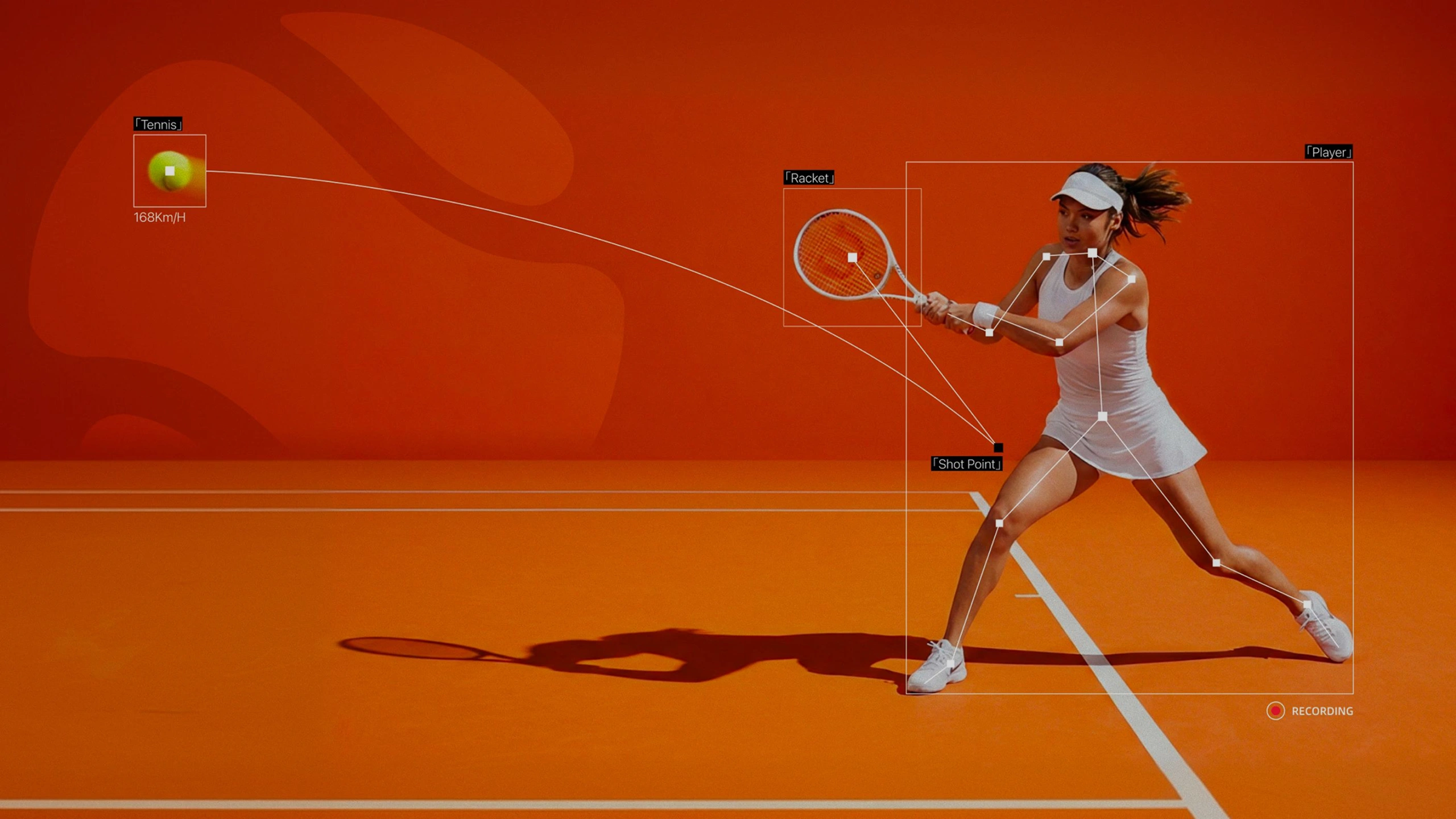
Precise Tennis
Data Analysis

Use AI to analyze your tennis video shot by shot.
See the data, target your technical weaknesses.

Get Started arrow_forward
How It Works

How to use RallySense for video analysis?

Record a tennis video, and let RallySense analyze every shot and every bounce.

arrow_forward
01 north_east

Record a match

Videos from phones, GoPros, and court cameras are supported, up to 2K.

02 north_east

Upload your video

Drag and drop, choose a mode (practice or serve), and start cloud analysis.

03 north_east

AI recognition

Motion, speed, placement — analyzed and tagged frame by frame.

04 north_east

Review the report

Heatmaps, rally data, and shot-stat charts. Replay any shot.

05 north_east

Track progress

Every training session leaves a data trail, helping you improve your tennis with evidence.
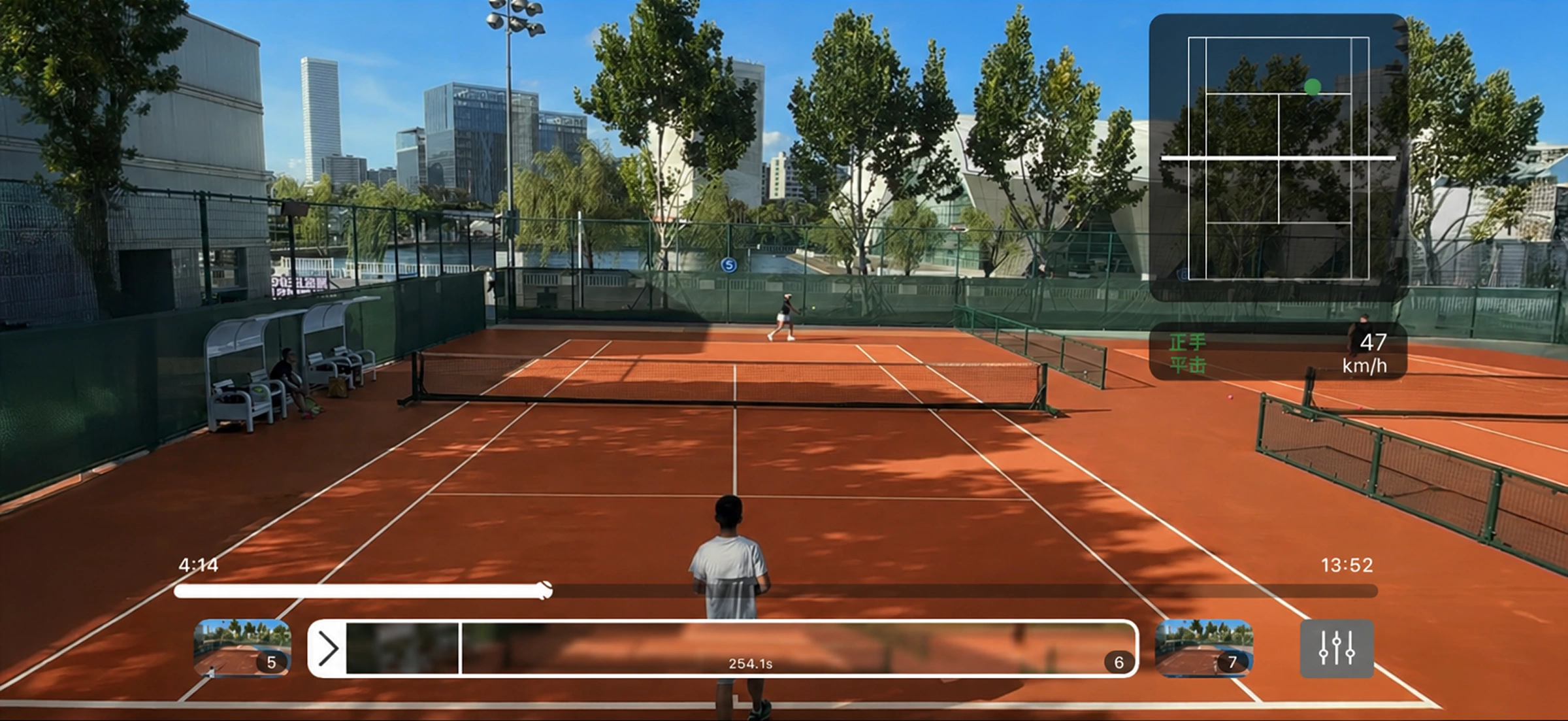
Player Perspective

As a player, what can you get?

  • Smart highlights Automatically clip rally and stroke segments. No more scrubbing manually.
  • AI feedback AI gives precise analysis and feedback on your technique.
  • Personalized training Generate a custom practice plan to target technical weaknesses.
  • Social sharing Share shot clips and data reports in one click.
Player Perspective

Use data to improve your tennis.

Stroke stability improved +10%

Review every stroke clip with RallySense to improve technical consistency.

Serve-in rate improved +24%

Use RallySense serve-mode analysis and training to improve your serve-in rate.

Overall shot quality improved +10%

Analyze the speed and depth of every shot to improve overall shot quality.

Unforced error rate reduced −11%

Quickly locate stroke issues and train with focus to reduce unforced errors.

Training efficiency improved +30%

Get precise feedback after every session so you no longer train blindly.

Match win rate improved +18%

Review key-rally tactics quickly with RallySense to improve match win rate.

Testimonials

From the tennis community.

"I used to rewatch full matches to figure out why I lost. Now I open the report, skim two heatmaps, and I know."

Maya Chen UTR 9.4 · Singles player

"The shot-by-shot replay has changed how I coach juniors. We spend less time explaining, more time fixing."

Jonas Müller Head coach · Berlin TC

"Finally a tool that treats amateur tennis like it matters. The data is serious; the app is actually fun to use."

Priya Sharma Weekend player · Mumbai
Cloud Analysis Pricing

Subscribe as needed. Upgrade anytime.

Sign up and get 30 minutes of free cloud analysis. No expiration.

Basic
$5.99
  • check5 hours of cloud analysis time
  • checkBasic reports and data analysis
  • checkShot-by-shot replay
  • checkSupports HD 1080p 60fps video
  • checkPermanent cloud storage
Choose Basic arrow_forward
Advanced
$9.99
  • check10 hours of cloud analysis time
  • checkAdvanced reports and data analysis
  • checkShot-by-shot clip editing and replay
  • checkSupports ultra-clear 2K 60fps video
  • checkPermanent cloud storage
Choose Advanced arrow_forward
Pro
$19.99
  • check30 hours of cloud analysis time
  • checkPriority analysis queue
  • checkAdvanced reports and data analysis
  • checkShot-by-shot clip editing and replay
  • checkSupports ultra-HD 4K 60fps video
  • checkPermanent cloud storage
Choose Pro arrow_forward
App Download

Use your phone to start real-time recording analysis

New users get 4 hours of on-device analysis time.

Download on the App Store arrow_forward
FAQ

Frequently Asked Questions

Cloud analysis currently supports MP4 only. On Apple devices, MP4 and MOV are supported. Videos up to 4K 60fps are supported.
A 1-hour tennis video typically generates a complete report within 10-20 minutes after upload finishes. On Apple devices, you can record and process in real time without uploading.
Practice and serve modes are currently supported. Match mode is coming soon.
All videos are private by default and visible only to you. We will not disclose them to any third-party organization or individual for any other purpose.
Failed analysis does not consume your quota. You can upload the video again for analysis.
No. Cloud analysis and on-device analysis use different computing resources, so their quotas must be purchased separately.